The platform

The Agentic labor manager, from forecast to pay.

Demand forecasting, automated scheduling, time, compliance, pay and analytics, all built around your data, so every decision reflects what's actually happening in your business.

LIFELENZ mobile app showing the next shift and week overview

Product tour

From the forecast to the pay run.

Demand becomes a roster, the roster becomes a shift, the shift becomes a timesheet, and the timesheet becomes pay, without anyone re-keying it in between. Every screen below is one stage of that cycle, captured from a running instance.

Try the full interactive walkthrough →
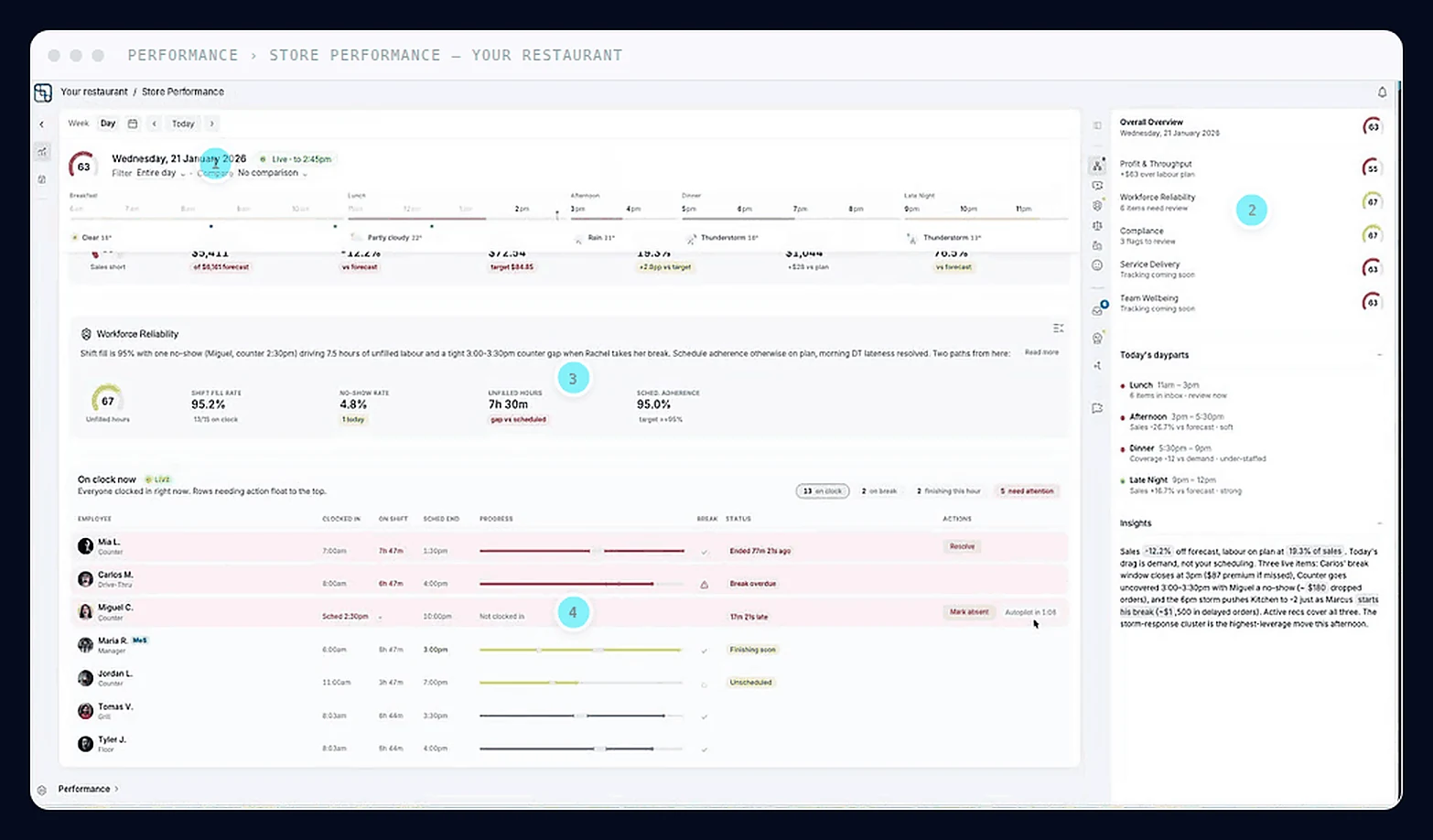
LIFELENZ Agentic AI store performance screen
1
See it in action
Agentic AI · The decision engine

A decision engine that runs your day before you need it to

Everyone else gives you a chat box. This reads every number in the restaurant, spots what is about to go wrong, and hands the manager a priced fix.

  • Every KPI rolls into one live store-health score, weighted by how much it matters.
  • The week reads in three states: settled, live and predicted, so a bad Saturday is visible on Tuesday.
  • Recommendations arrive priced. Untick a change and the projection redraws before you commit to anything.
More about Agentic AI →
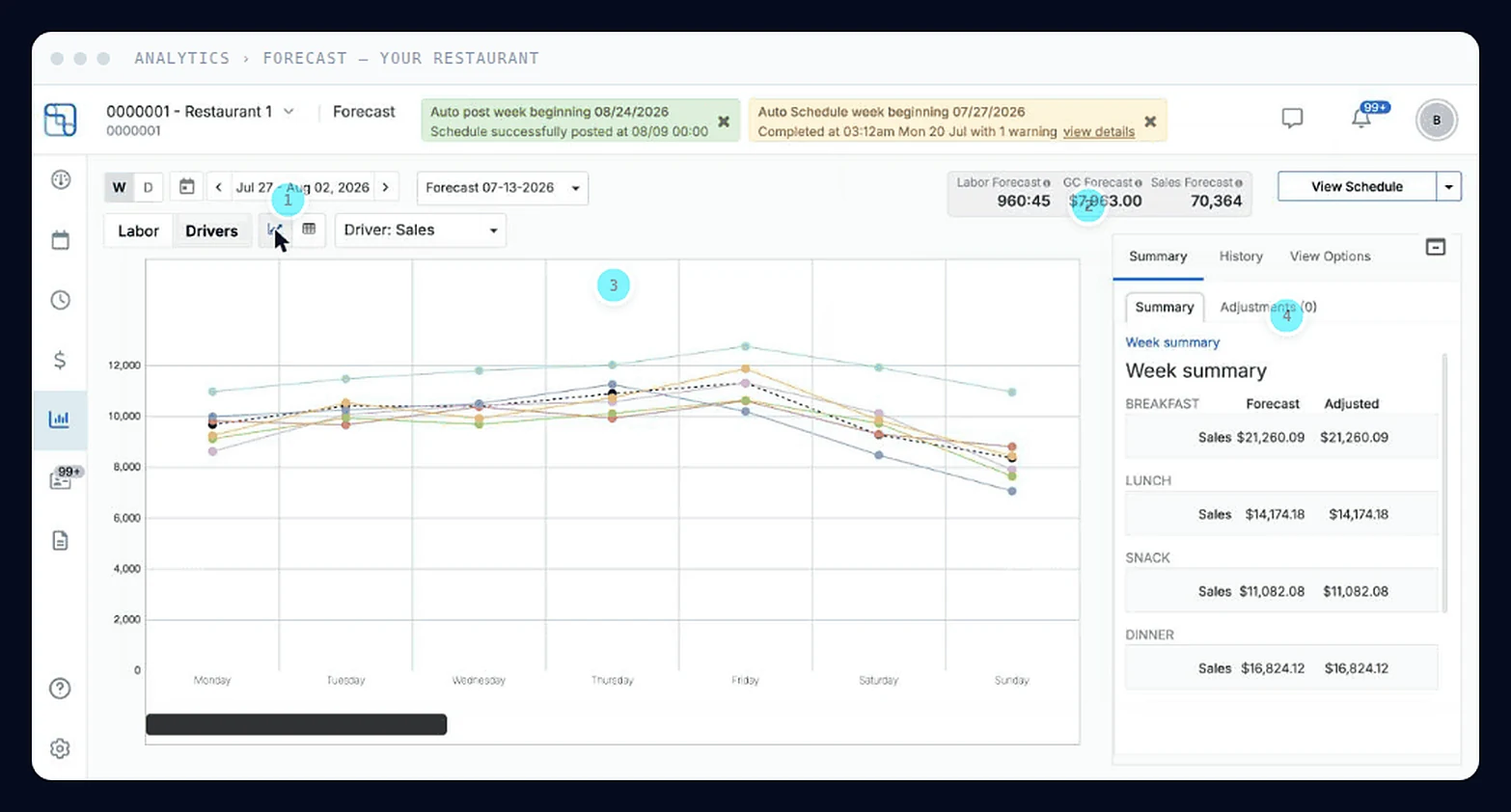
LIFELENZ forecasting screen
1
See it in action
Forecasting · Demand

Stop staffing on last week’s guess

A forecast that lands three weeks out, sharpens every night, and turns straight into a labor target your managers can trust.

  • Lands three weeks out and sharpens overnight, down to the quarter-hour.
  • Demand and people on one picture, so the peak inside the peak gets staffed, not averaged.
  • Approve it once and the roster builds against it: no re-keying, no second version of the truth.
“33% increase in productivity, and the only thing that changed in my restaurants was LIFELENZ.”
More about Forecasting →
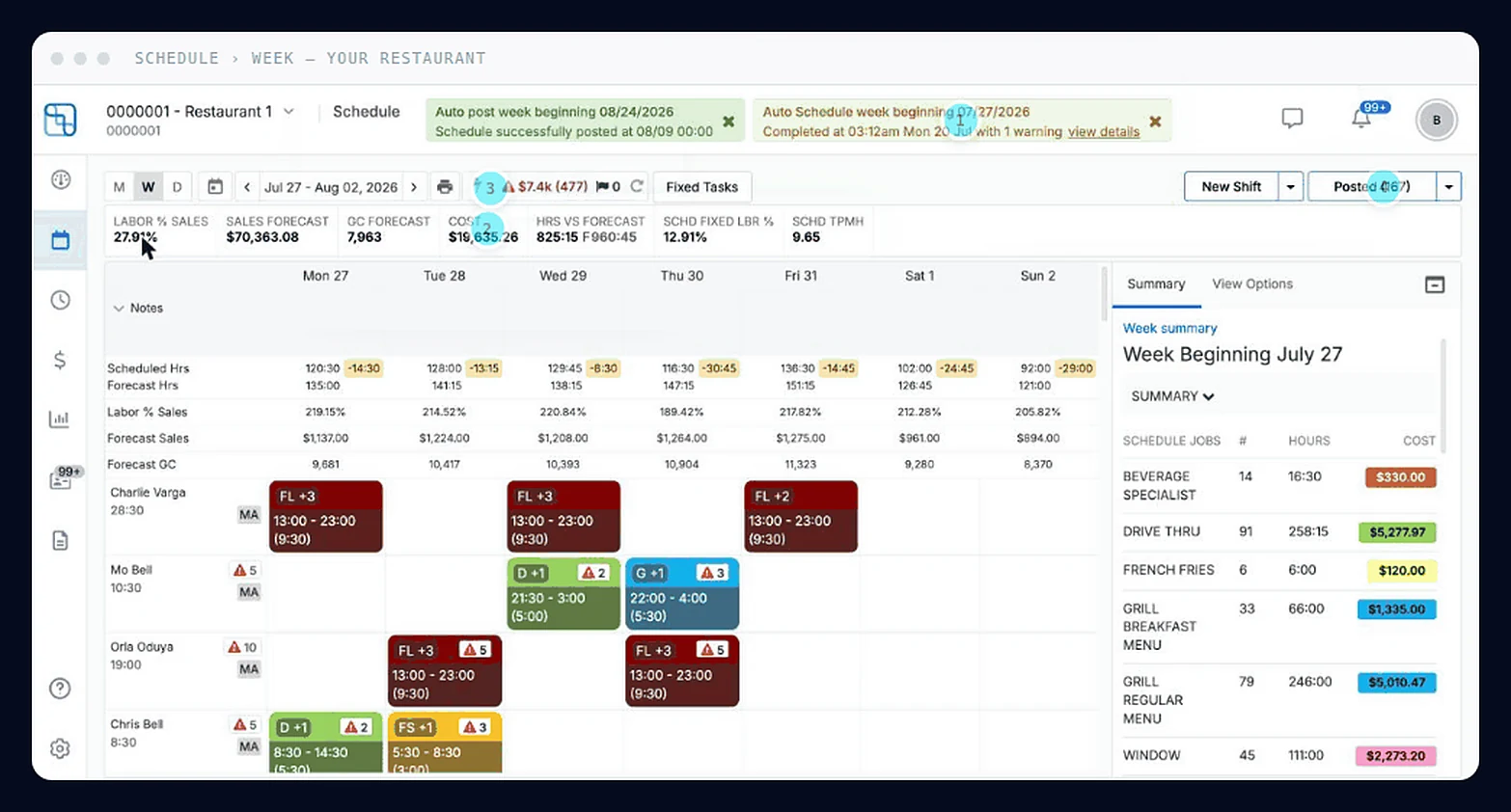
LIFELENZ scheduling screen
1
See it in action
Scheduling · The roster

Build the week in minutes, not evenings

Auto-Optimized Scheduling turns the approved forecast into a costed, compliant roster for every location.

  • Auto Schedule places the whole week against the approved forecast, costed as it goes.
  • Swaps, drops and time off are handled between rushes instead of on a clipboard.
  • Compliance is priced before you publish, so nothing expensive reaches the floor.
More about Scheduling →
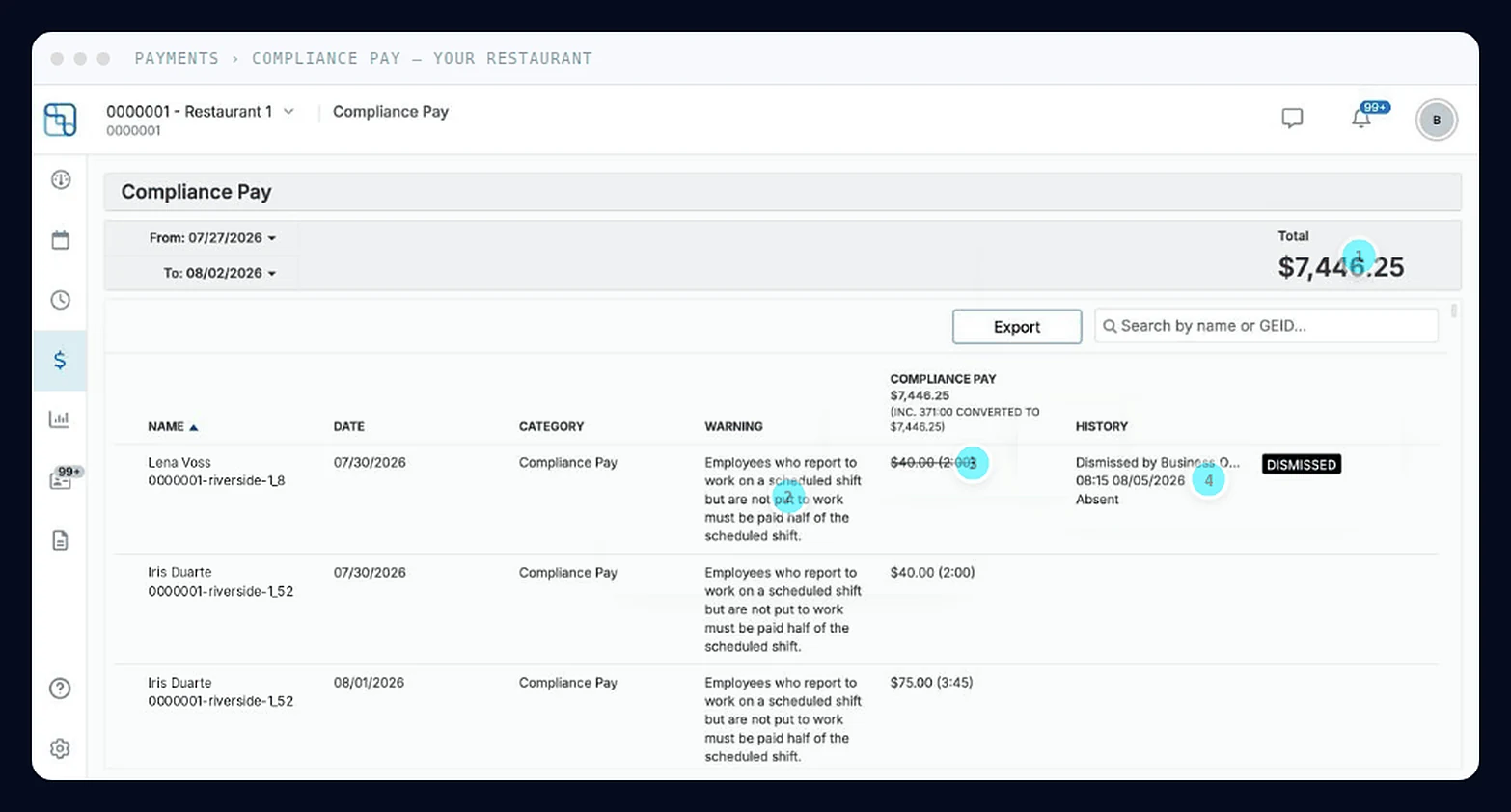
LIFELENZ compliance pay screen
1
See it in action
Compliance · Exposure

Labor law, priced in dollars, before you publish

Predictive scheduling, minors, breaks, right-to-rest and overtime, resolved to the strictest rule and applied to each location automatically.

  • Federal, state and local rules resolve to the strictest and apply to each location on their own.
  • Breaks, right-to-rest and minor rules are checked on the shift, not in next month's report.
  • One red button shows your exposure, what it costs, and which shift caused it.
More about Compliance →
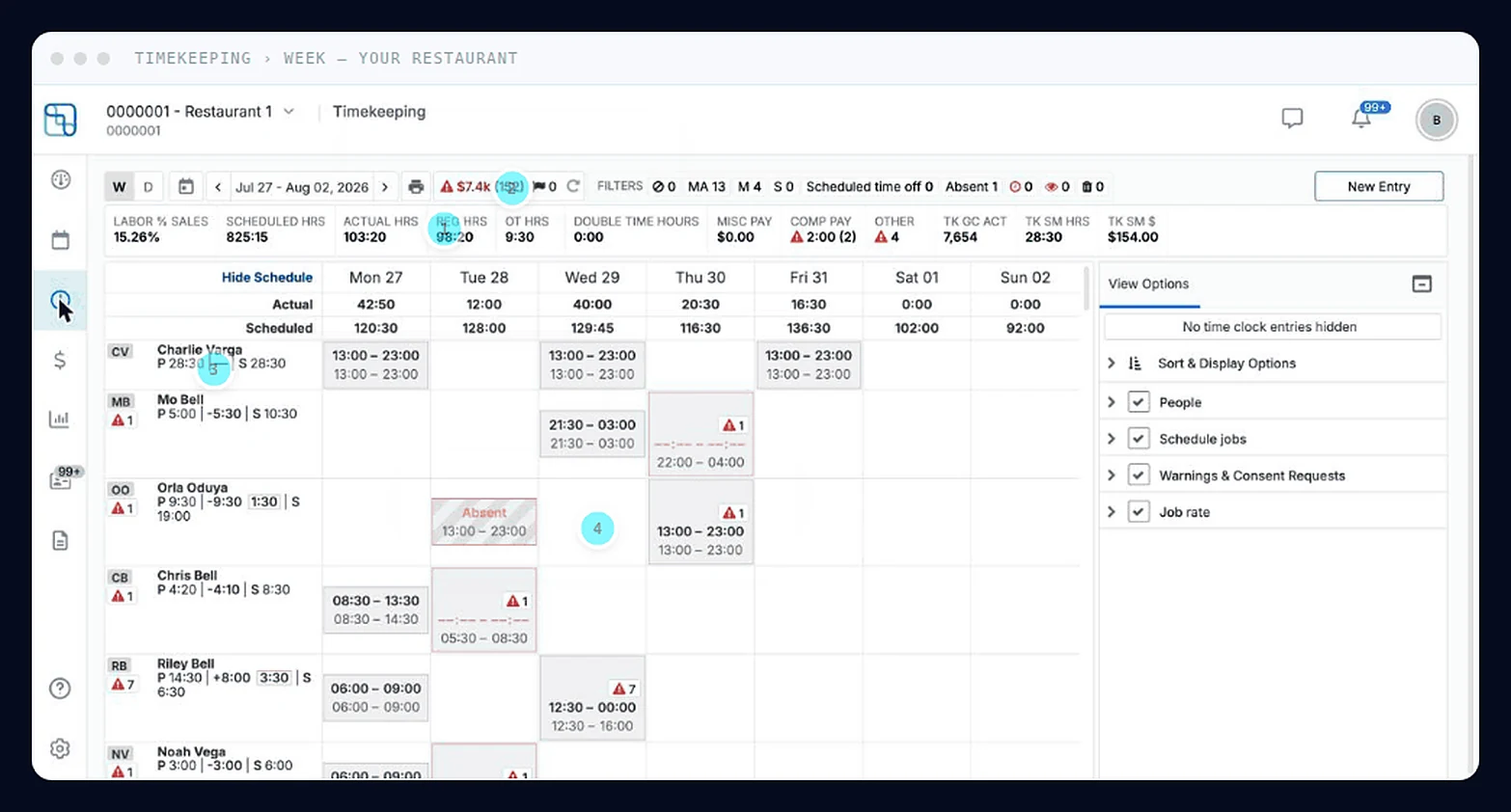
LIFELENZ timekeeping screen
1
See it in action
Timekeeping · The pay period

Pay for the hours you actually rostered

Punch drift, missed clock-outs and avoidable premium pay erode margin minute by minute. All three surface while the period is still open.

  • Worked hours sit against rostered hours, filtered to the exceptions that cost money.
  • Premium pay is caught while the period is still open and still avoidable.
  • Every edit carries a name, timestamp and reason, so a disputed punch has a paper trail.
More about Timekeeping →
LIFELENZM
2:36 PM10/3/2024
On Shift9
Late2
Missing4
On Break2
Shift Start
Del Bruen2:20 PM – 8:00 PMMissing from shift
Trenton Lowe2:30 PM – 8:30 PMOverdue 6 Min
Robena Considine2:45 PM – 4:00 PMStarting in 7 Mins
Breaks
Shalanda Bode2:33 PM – 2:43 PMBreak Ends in 5 Mins
Fae Feil2:30 PM – 2:40 PMBreak Overdue 8 Mins
Shift End
Hyacinth Jacobi1:29 PM – 2:30 PMShift End Overdue
Shalanda Bode6:30 AM – 2:40 PMShift End in 2 Mins
Compliance & OT
Logan O'Conner4:10 AM – 12:00 PMMB in 1 min
Pilar Purdy2:29 PM – 4:15 PMRB in 14 mins
Version 1.61.16.1726027109 · LL.TC
LIFELENZM
2:44 PM10/3/2024Logged in: Trenton Lowe
Employee

Why are you starting your shift late?

Scheduled Shift Start · 02:30 PM · you are 14 mins late
CancelNext
Version 1.61.16.1726027109 · LL.TC
LIFELENZM
2:47 PM10/3/2024Logged in: Archie Nienow
Manager

Authorizing David Sauer's shift may incur compliance pay.

CategoryCompliance warningPremium
Breaks1×10 minute rest break for hours worked is missing.+0:10 pay
BreaksOne additional hour at regular rate for a missed 30 minute meal break.+1 hr pay
CancelAuthorize
Version 1.61.16.1726027109 · LL.TC
See it in action
Time Clock · At the punch

The clock that enforces the rules, not just records them

A live punch board on the tablets you already own, with compliance decided at the punch, not discovered at payroll.

  • Late clock-ins ask why. Manager-initiated reasons qualify for premium pay; employee-initiated ones don't.
  • Breaks count down on the board, and returning early needs a manager's PIN.
  • Every authorization shows its compliance cost first, and punch edits go to the employee to accept or reject before the pay run.
“The time clock catches it while the shift is still running, not two weeks later on a pay dispute.”
More about Timekeeping →
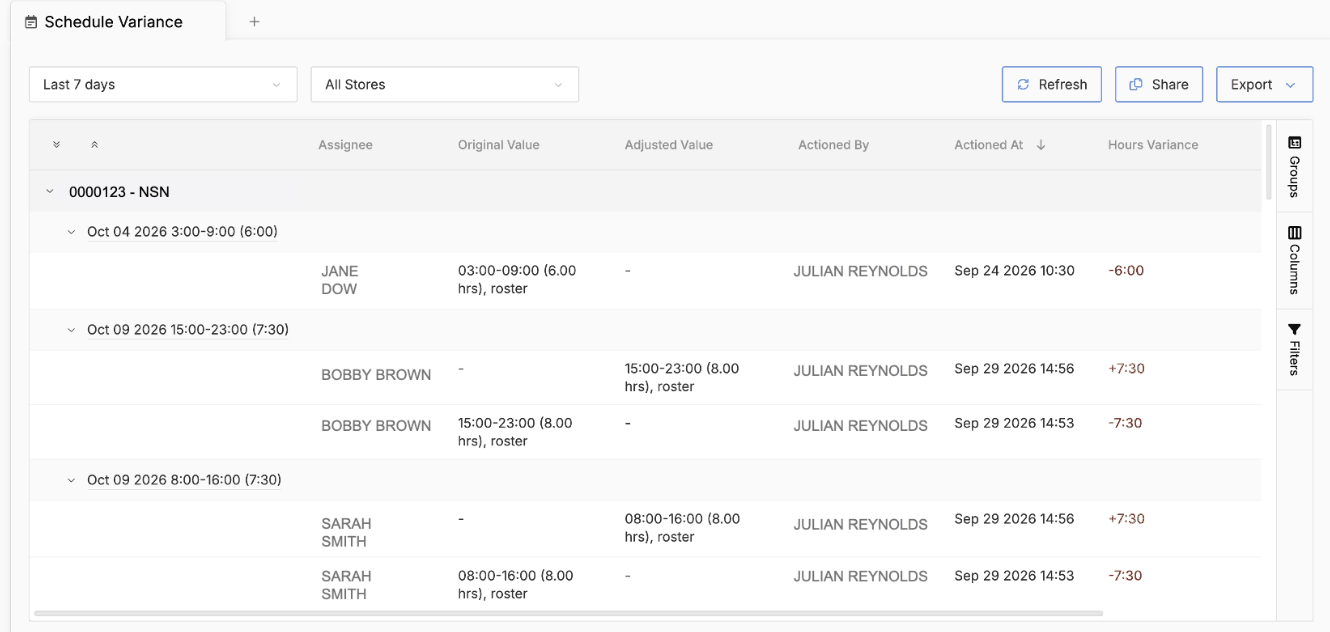
LIFELENZ Data Explorer showing the Schedule Variance view grouped by store and shift
1
See it in action
Reporting · The evidence

Every number you argue about, in one place

Labor against forecast, punches against schedule, premiums against pay period, scoped by role.

  • Organized by the question in front of you rather than by the table the data sits in.
  • Fifteen months of history on the seven reports a wage claim actually asks for.
  • And Live Shift for the part a report cannot answer: what is happening right now.
“Not only did we see dramatically improved margins, but also revenue and productivity improvements. A win across all fronts.”
More about Reporting →
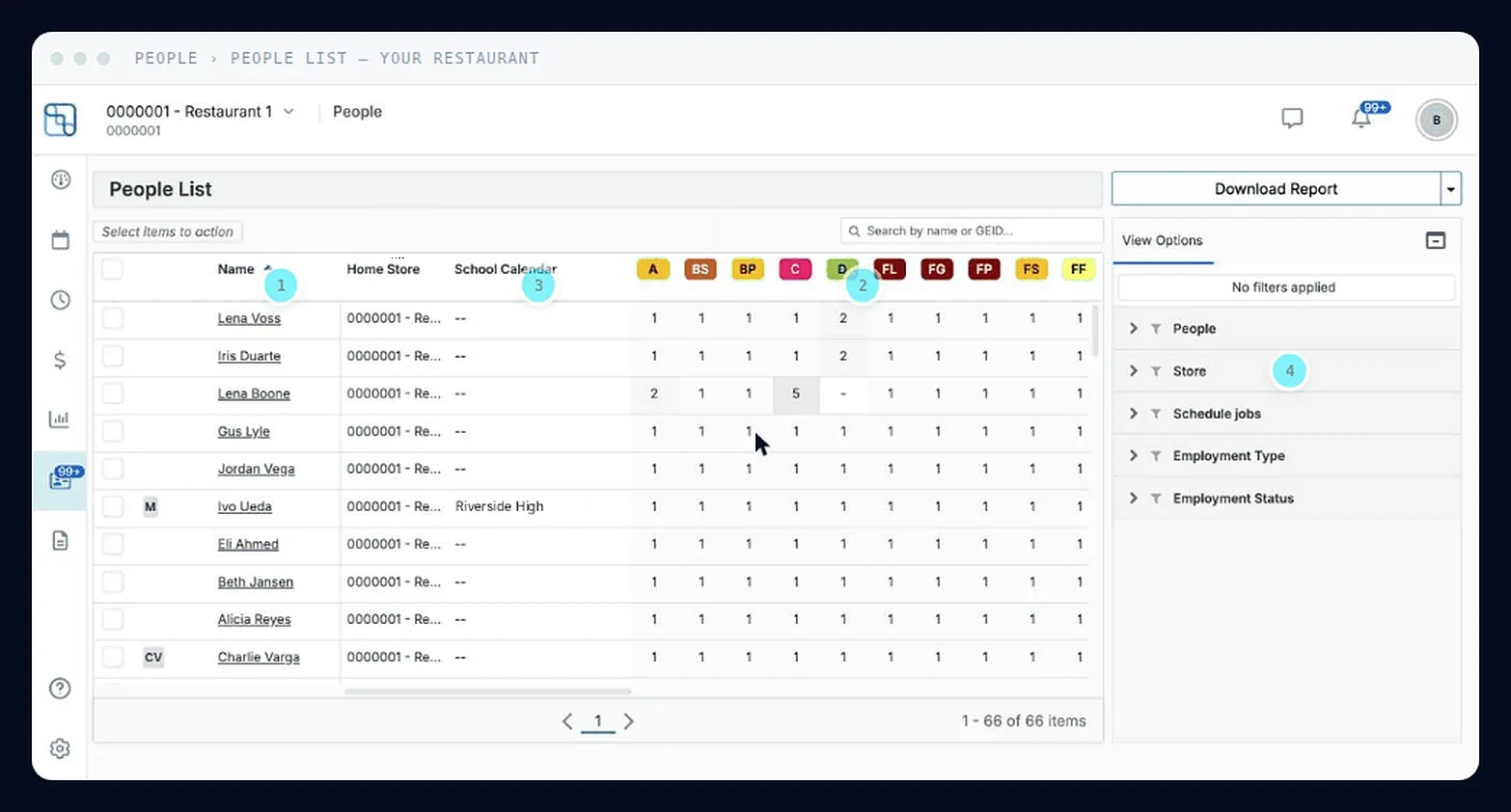
LIFELENZ people list screen
1
See it in action
People · The constraints

The record that decides who can work that shift

A people list is only worth having if the schedule reads it. One record, and everything downstream obeys it.

  • A skill rating from one to five per role gates who can be rostered: five is manager-level, one is do not schedule.
  • Pay has its own permission, so a shift leader covering the office never sees wages.
  • Share a trained crew member with the store next door instead of rehiring one.
“LIFELENZ makes it easy to manage my shift swaps and drops without needing to text my manager to do it.”
More about People →
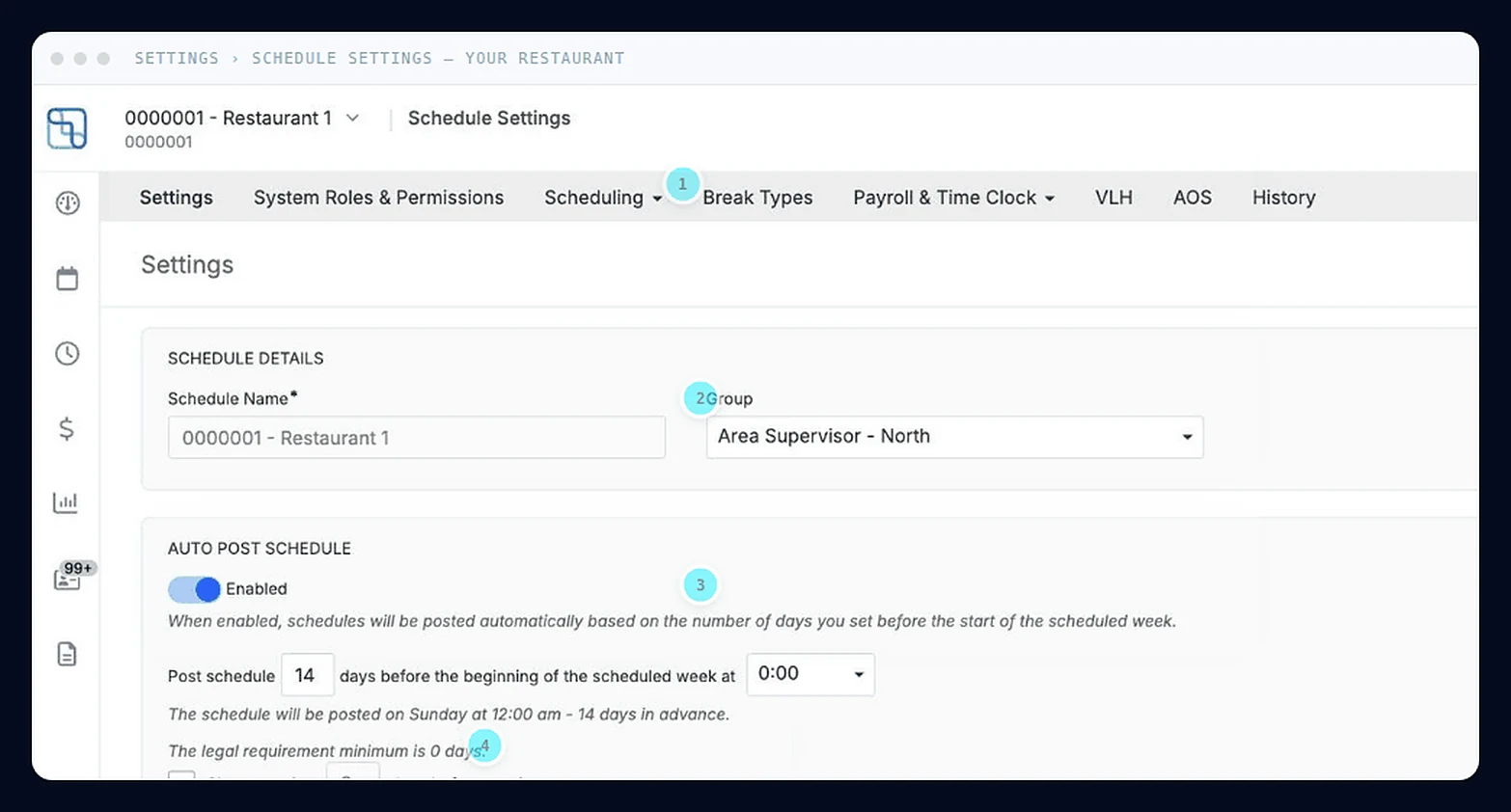
LIFELENZ schedule settings screen
1
See it in action
Settings · The estate

Set it once for the estate. Bend it where the store needs it.

Head office wants one standard, but every restaurant trades differently. This settles it structurally.

  • Configure at business level, let a location override only what it should, and lock the rest.
  • Permissions map to how a restaurant actually runs, not to an org chart.
  • Every change carries who made it and when, so nobody has to police the standard.
More about Settings →
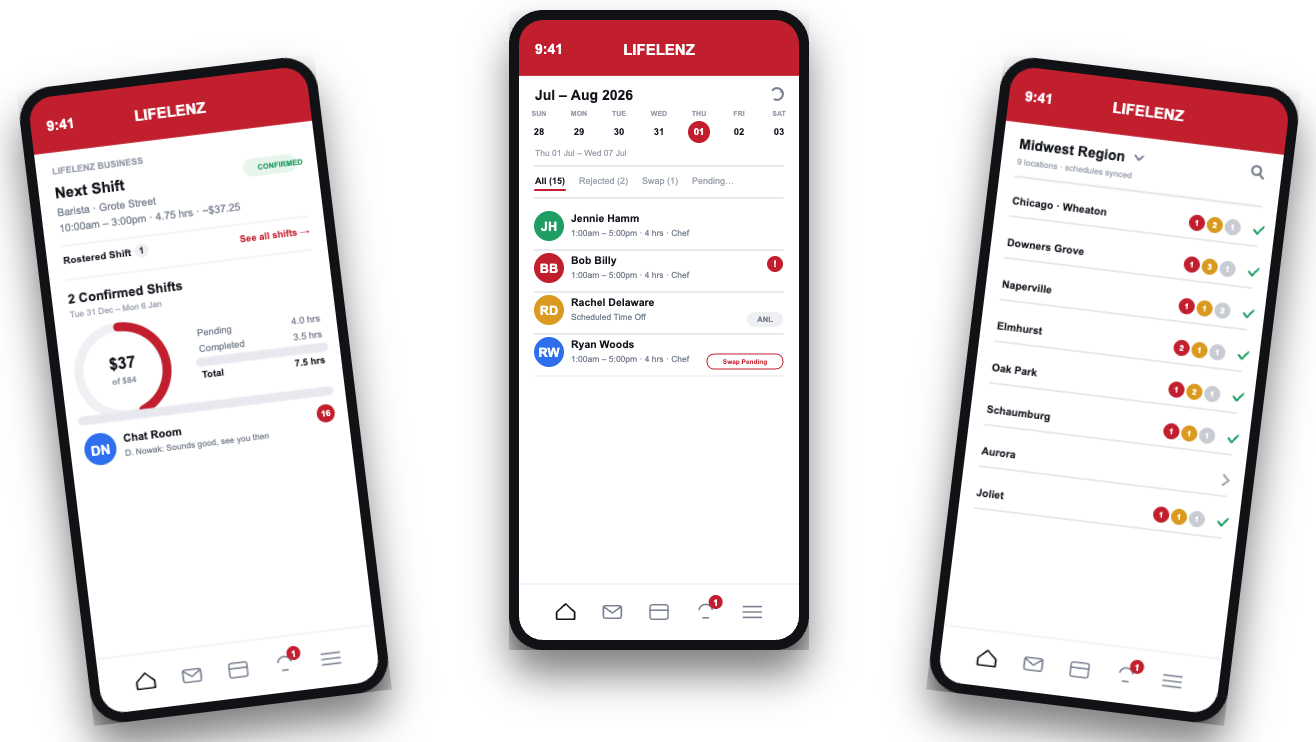
Mobile · Always in your pocket

The app that goes where the shift does

Managers and crew share the same real-time picture: shifts, swaps and clock-ins update instantly.

  • Push notifications the moment a swap is approved or the schedule changes.
  • Clock in and out from the floor, with geofencing that keeps timekeeping honest.
  • See who's on today, their role, and their skill level before you ask.
“I built my whole week around what my phone tells me. I don't call the office anymore.”
More about Mobile →

See it running on your schedule.

A real conversation, tailored to your operation. No sales fluff, just a clear look at the time, cost and margin we can unlock.